


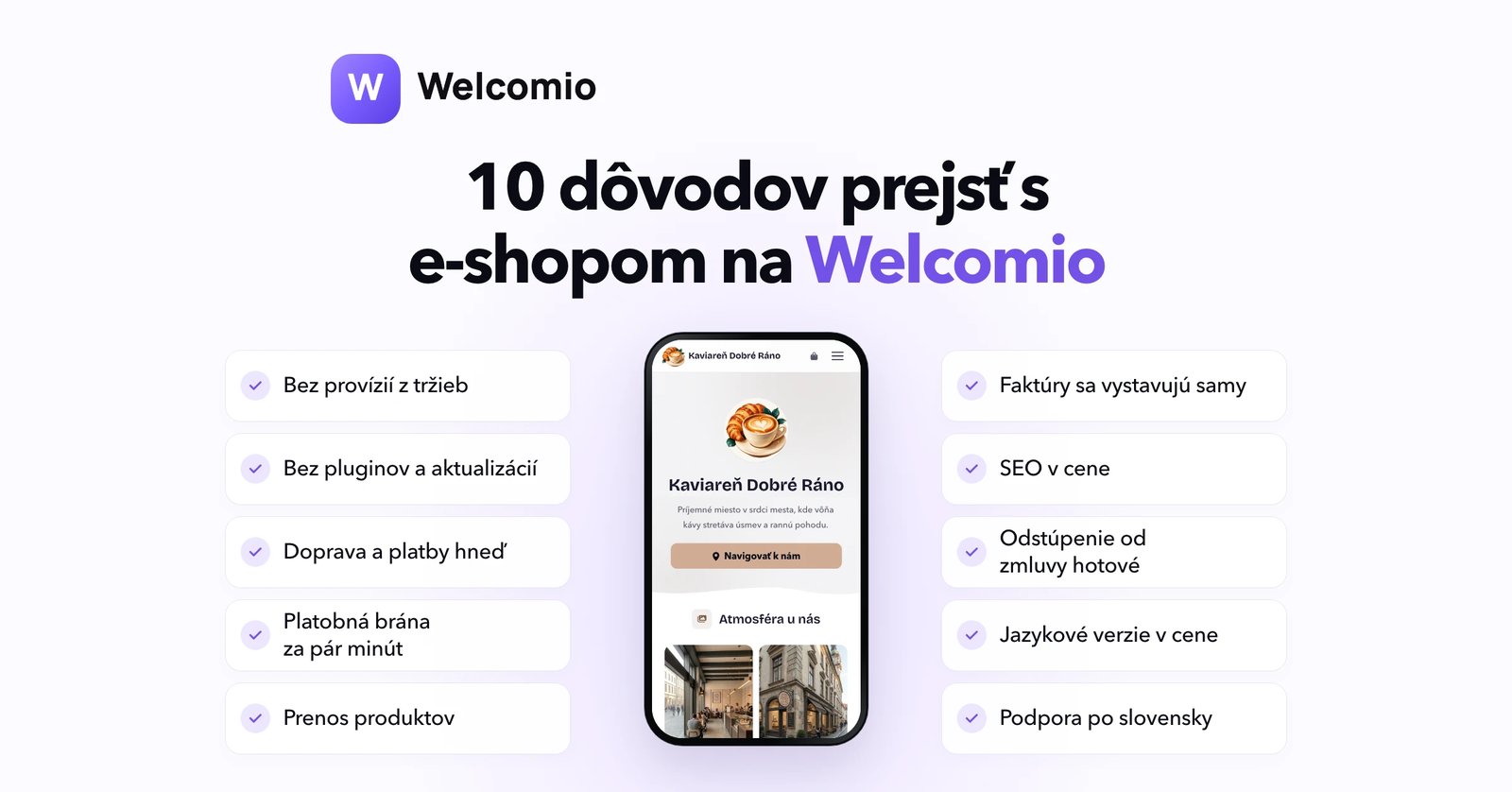
Your e-shop has given you a lot of work. It works, but more and more often you feel like you're working for it, and it's not working for you. If you've been thinking about switching but keep putting it off, this article is for you.
You may be familiar with it. An update that breaks the checkout. A programmer who quits in a week. Another monthly fee for a feature that should be a given. And when you think about switching, the question immediately arises: what if I lose my orders, data, or Google rankings?
These concerns are justified. Switching platforms is a big decision, and many merchants put it off for years, most often with the phrase “until after the season.” That’s why we’ve written down ten specific reasons to switch to Welcomio, and at the end, a step-by-step guide on how to do it without stress.
1. Welcomio takes nothing from your sales
Welcomio does not take any commission from your orders or payments. This is not a given: For example, Shopify takes an additional percentage from each card payment.
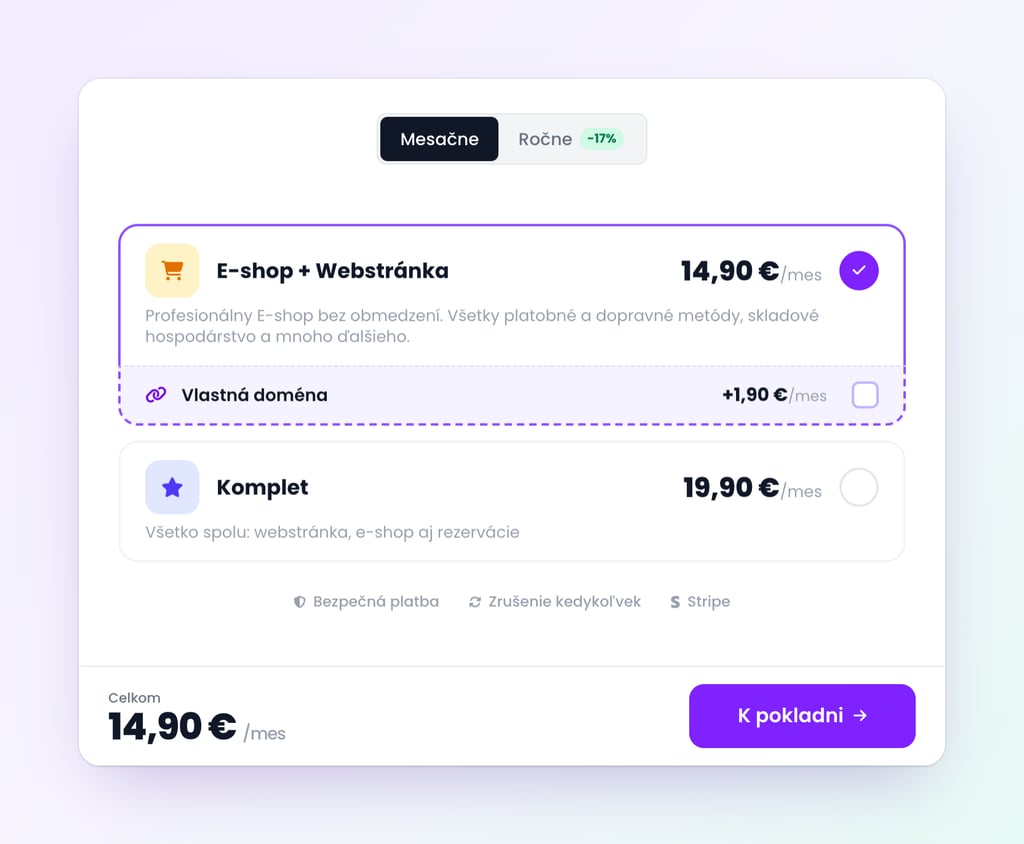
At Welcomio - whether you sell for a hundred euros or a hundred thousand, you still pay the same subscription: E-shop + Website for €14.90 per month or €149 per year, Complete with appointment reservations for €19.90 per month. You can connect your own domain to it for €1.90 per month. All prices include VAT.
Billing, product transfer, feeds for Heureka and Google, language versions, and the cancellation function are part of the subscription, not paid add-ons.
2. No plugins, updates, or programmer
From the stories of merchants who have changed platforms, the most common reason is maintenance fatigue. With WordPress with WooCommerce, you take care of hosting, security, and plugin updates yourself. In fact, plugins accounted for 91% of new WordPress security bugs in 2025 ( Patchstack ).
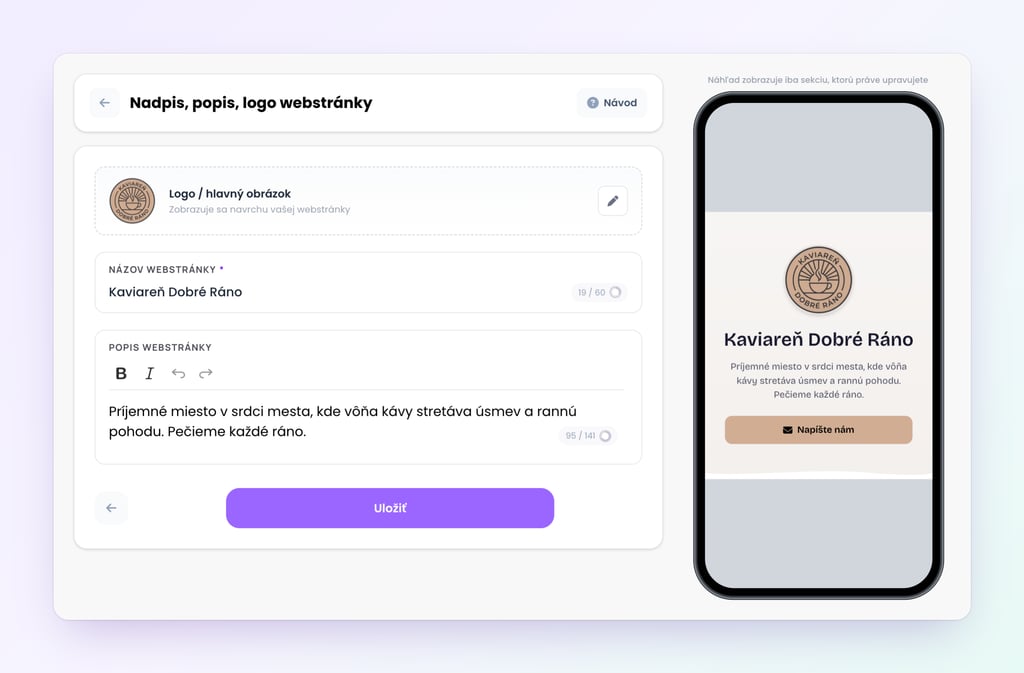
At Welcomio, we take care of the technology. Hosting, SSL certificate and new features are available to you automatically and you don't have to install or update anything. You can edit texts, photos, prices or products yourself, even from your mobile phone, and you don't need a programmer for anything. The e-shop will display nicely on both mobile and computer.
3. Have everything essential ready right away
You don't need to build an e-shop on Welcomio with add-ons. Immediately after creation, you have a shopping cart, checkout, inventory counting, product variants, as well as automatic emails to customers about order receipt, payment, and shipment, and other notifications.
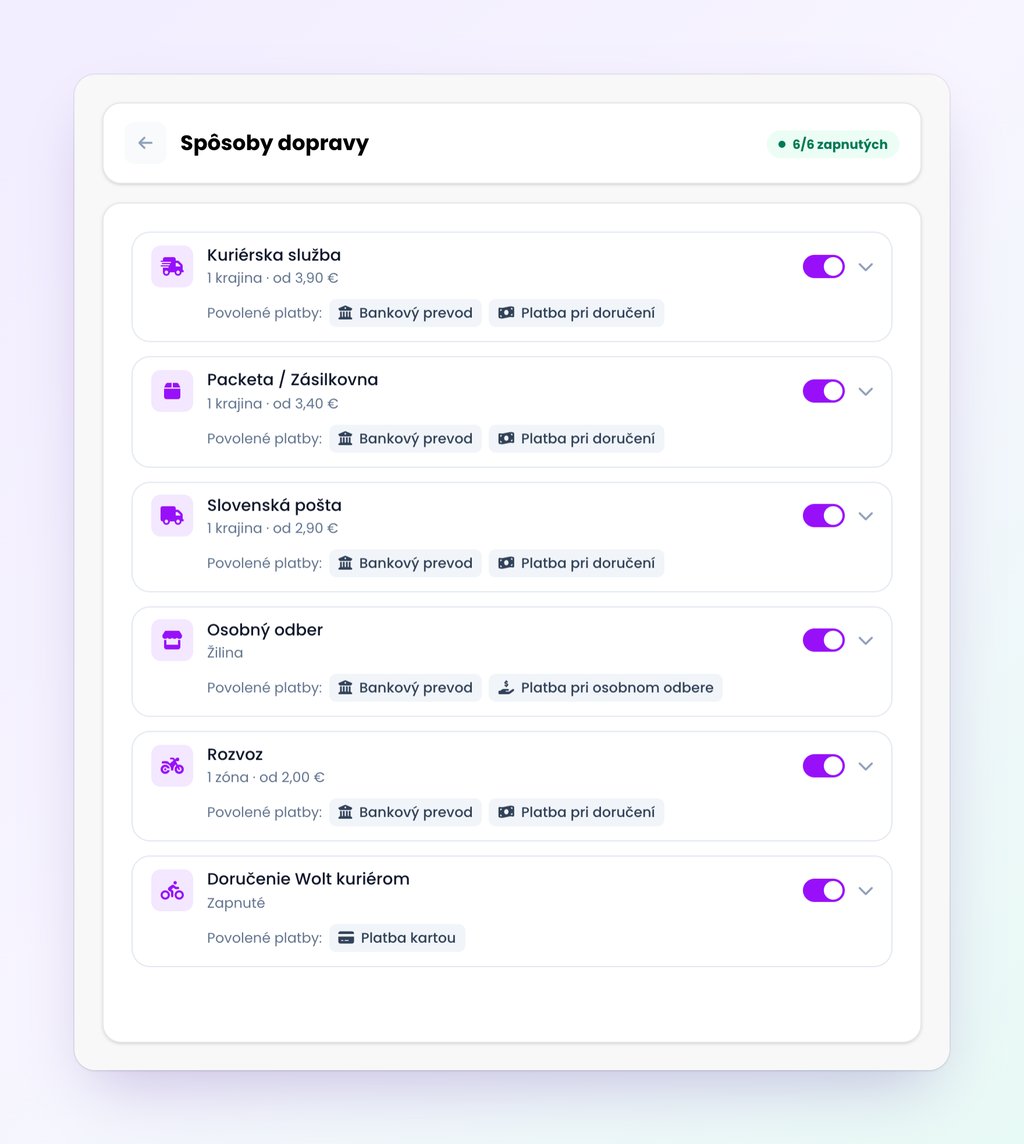
Shipping: Packet with pre-filled prices and a map of delivery points and Z-BOXes, Slovak Post (including delivery to BalíkoBoxes and Alzaboxes), courier, personal collection and self-delivery with delivery zones on the map, or even instant delivery via the Wolt Drive service.
Payments: payment gateway with card payment, transfer with QR code PAY by square, cash on delivery or personal collection, or even support for cryptocurrencies.
Notifications: We will notify you of a new order by email and sound in the open administration.
Daniela from Boníssima in Čereňany wrote to us about Welcomio:
"With others, I gave up on the third or fourth step, but you have created something that is unparalleled among e-shops."
4. You can connect your payment gateway in a few minutes
The payment gateway is often the most bureaucratic part for a small e-shop: contracts, approvals, and often an additional monthly fee.
Welcomio card payments are processed by Stripe, one of the largest payment companies in the world. In 2025, it processed $1.9 trillion in payments and is used by over 5 million businesses ( Stripe ).
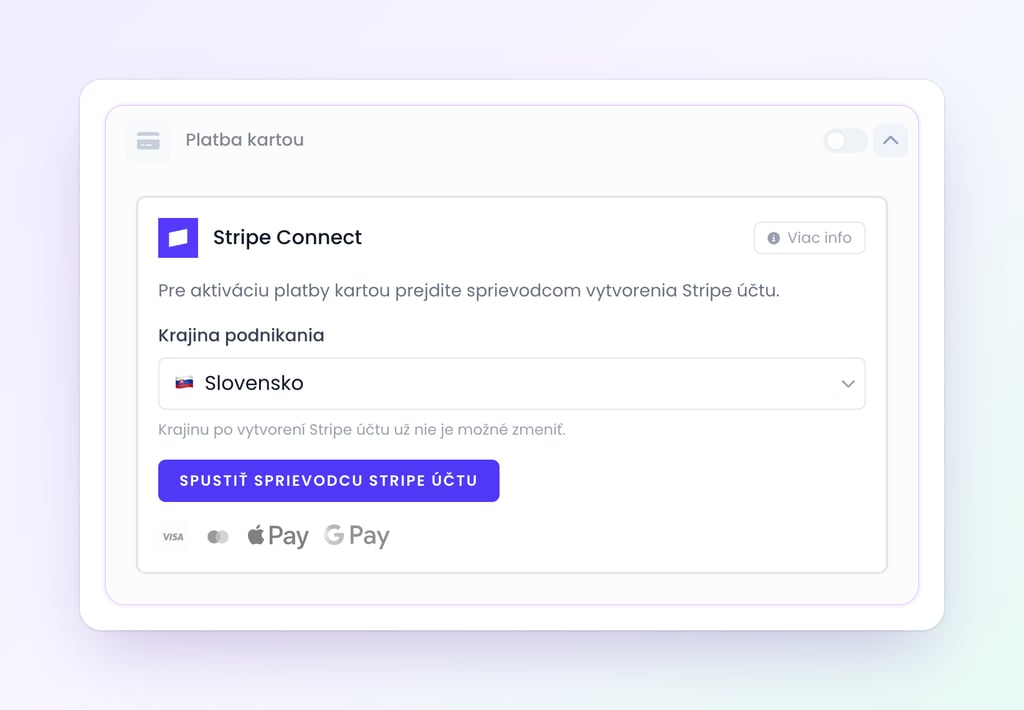
In your e-shop settings, click “Connect Stripe Account” and a wizard will guide you through entering your business and bank account information. We’ll fill in your email, phone, and website address for you, so it usually takes about five minutes to complete. Once Stripe verifies your information (in most cases, instantly), you can turn on card payments with a single toggle switch, and Stripe will send the money directly to your bank account.
5. Transfer products without rewriting
The fear of rewriting hundreds of products has kept many merchants on the old platform for years. That's why we've prepared a guide that will transfer the products for you:
Shoptet: upload a complete export in XML or export in CSV or Excel.
WordPress with WooCommerce: you upload the export of products from WooCommerce in CSV.
Excel, CSV or Google Sheets: upload a file or paste a link to a spreadsheet. We'll recognize the columns ourselves and only ask about the unclear ones.
We will transfer products, variants, photos, descriptions with simplified formatting, categories up to two levels, prices, warehouse, EAN and brand. Before the transfer, you will see what we will add, what we will update and what we will skip. New products will be enabled at once at the end.
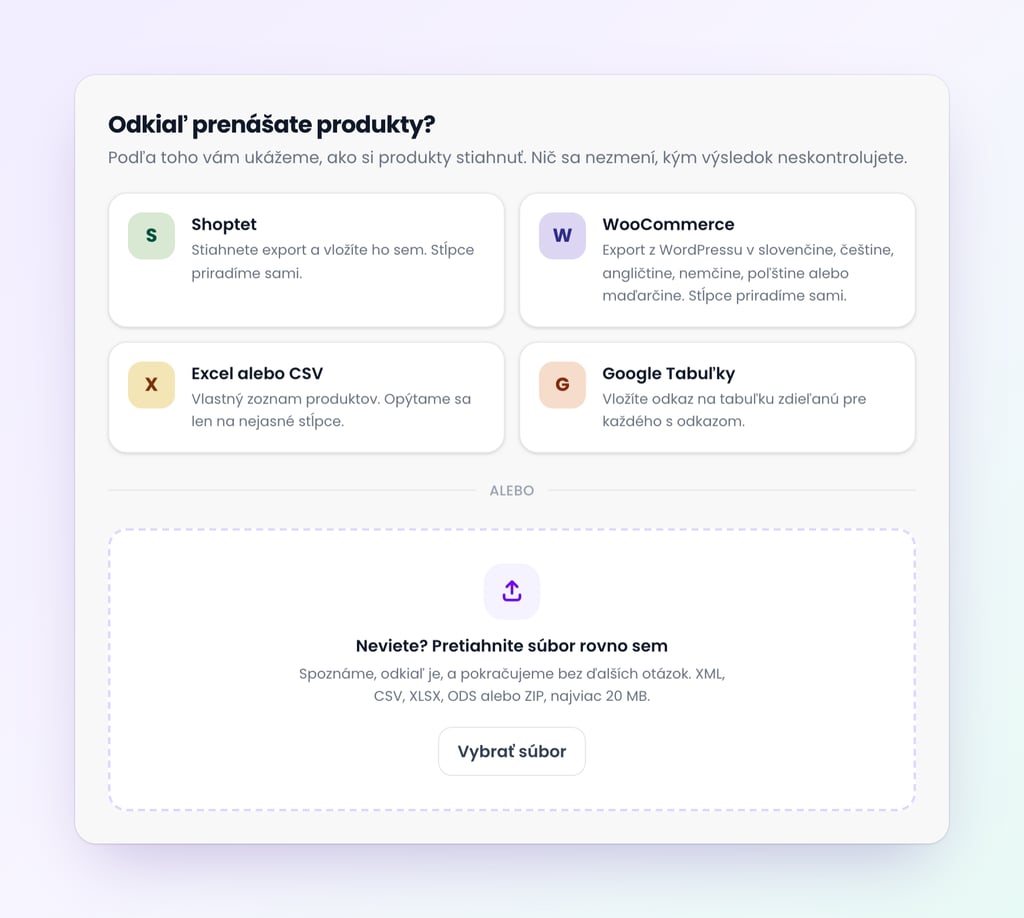
If you change something in the old e-shop in the meantime, repeat the transfer and only the changes will be transferred. You can transfer products from other platforms, such as Upgates, Shopify or Webnode, if you can export them to a spreadsheet (CSV or Excel). We do not transfer orders, customers and promotional prices; you can find out how to save them in the procedure at the end of the article.
6. Invoices are issued by themselves
An invoice is automatically generated as soon as the order is paid and the customer receives it via email in PDF format. If you cancel a paid order, a credit note is automatically generated.
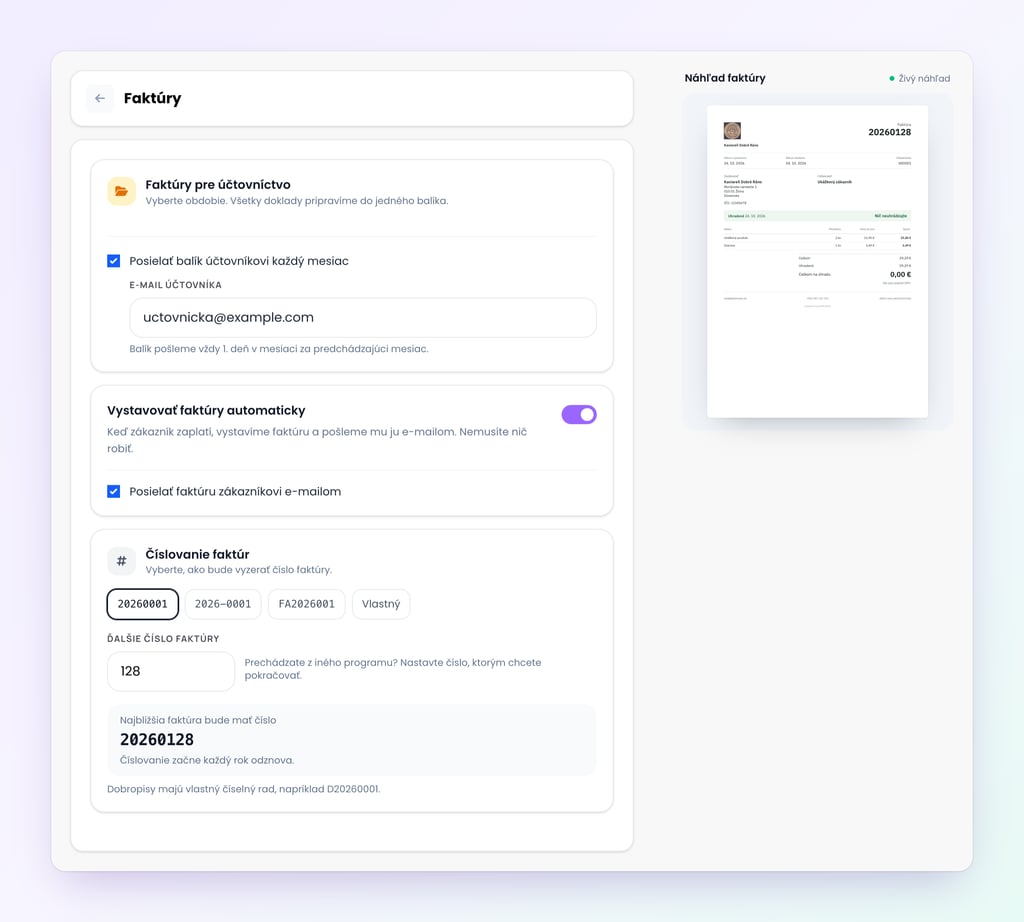
Number sequence: set it so that it continues smoothly with the last number from the old e-shop and there is no gap in the numbering.
VAT: invoicing works for both VAT payers and non-VAT payers.
Corporate customers: after entering the company ID, the company data will be added from the register.
Accountant: on the 1st of each month, we will send them a link to a ZIP file with all invoices and credit notes for the previous month (PDF and Excel report).
You no longer have to spend the end of the month looking for documents.
7. SEO that is included in the price
Good search engine optimization shouldn't be an expensive add-on. Every Welcomio e-shop includes the following in the subscription price:
server-side rendering, so Google sees all the content right away;
structured data for both products (price, availability, brand) and your business (address, opening hours);
sitemap.xml file with all products and language versions;
canonical addresses and nice previews when sharing on social networks;
photos in WebP format, which load quickly via CDN;
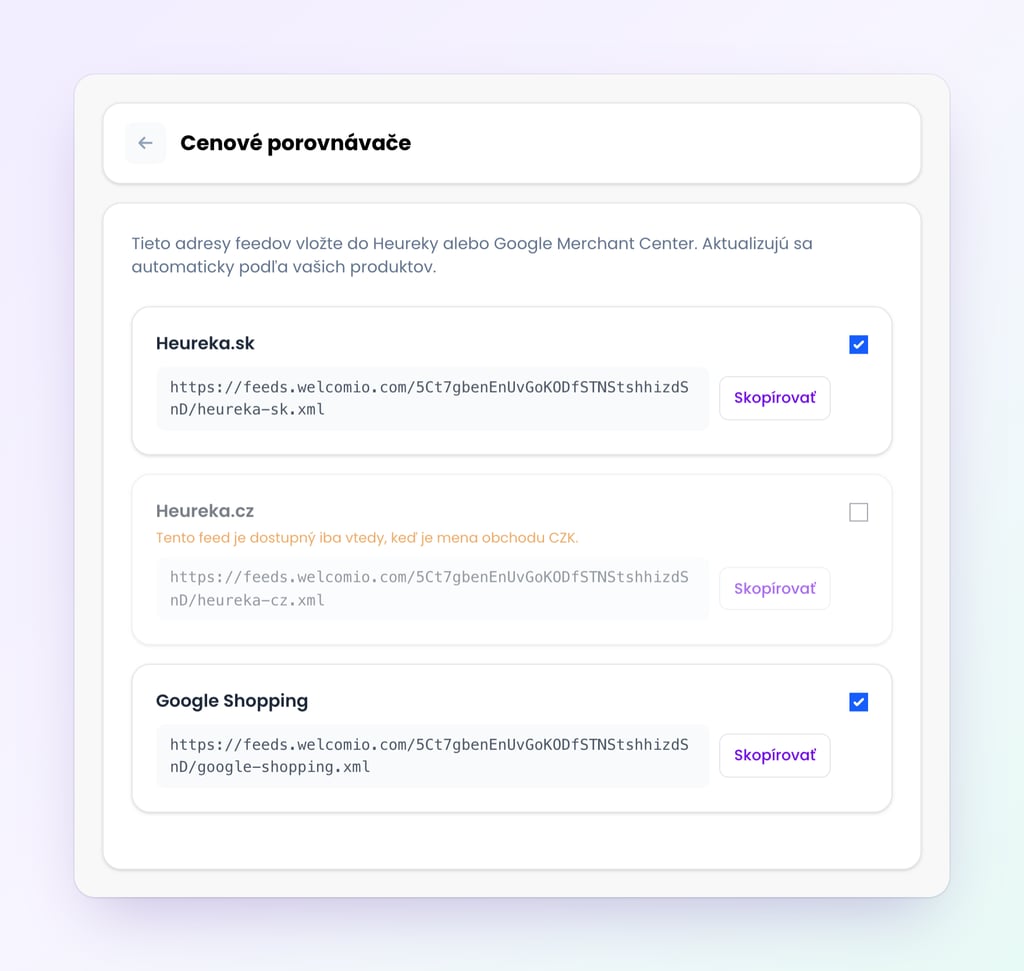
feeds for Heureka.sk, Heureka.cz and Google Shopping with category assignment.
When you rename a product on Welcomio, its original address is automatically redirected to the new one. On Shoptet, such redirection is part of the Advanced SEO add-on for €12 per month and is only included in the price for e-shops with Shoptet Enterprise.
8. You have the withdrawal function ready
From June 19, 2026, every e-shop in Slovakia must have a function for withdrawing from a contract according to Section 20a of the Consumer Protection Act. An email or a PDF form is not enough for this.
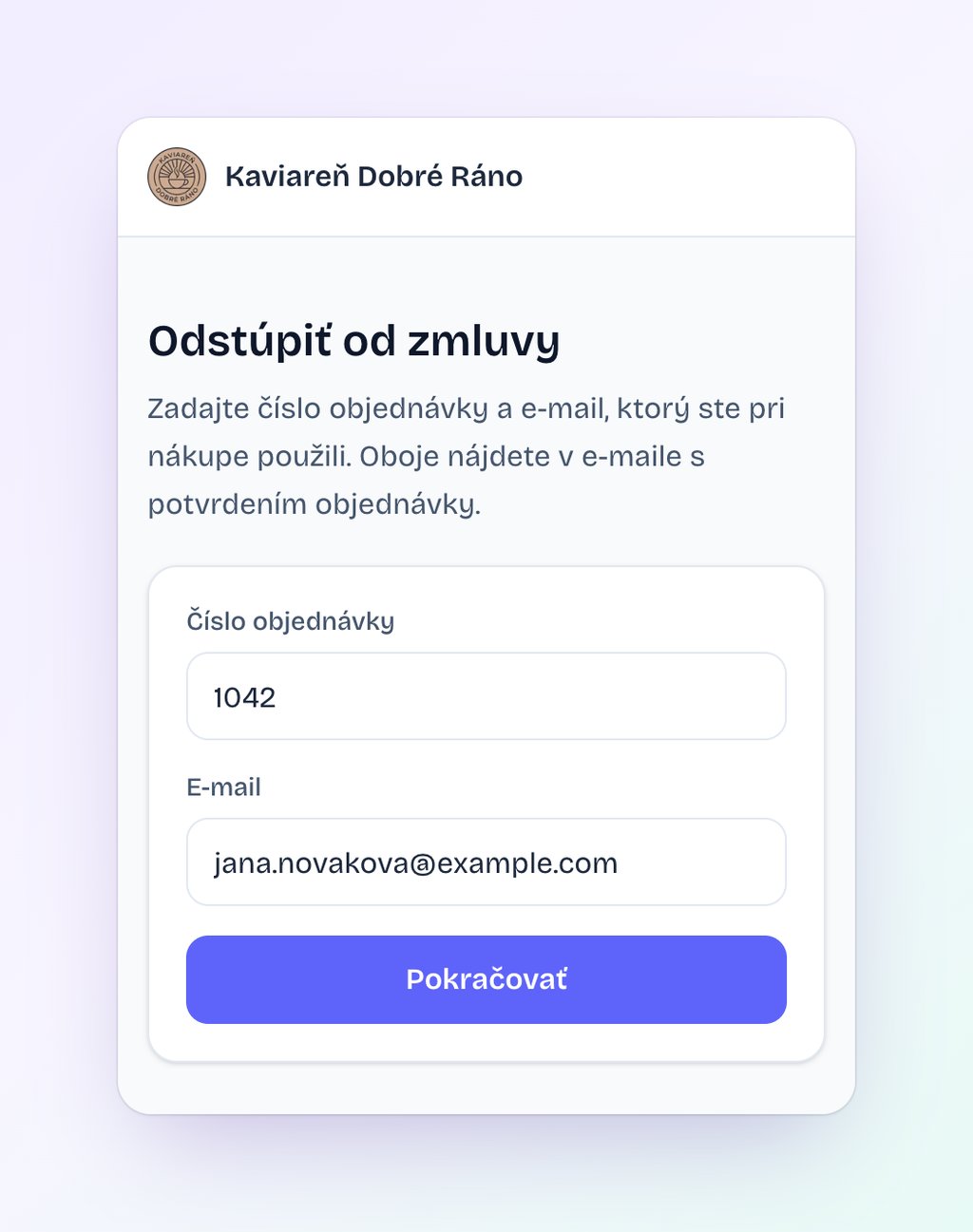
Every e-shop has it automatically on Welcomio. The "Withdraw from the contract here" button is in the footer of the website. After clicking, the customer selects the items and both parties receive a confirmation by email. You can then process the withdrawal in the order details. You will also receive a cookie bar with Google Consent Mode v2: until the visitor gives consent, Google's measurement and advertising tools do not store cookies.
9. Sales abroad without surcharges
The decision to sell internationally is one of the common reasons why merchants change platforms. On Welcomio, you can add a language version in just a few clicks. Text, products, addresses, and customer emails are automatically translated, and hreflang tags help Google show people in each country the correct language version.
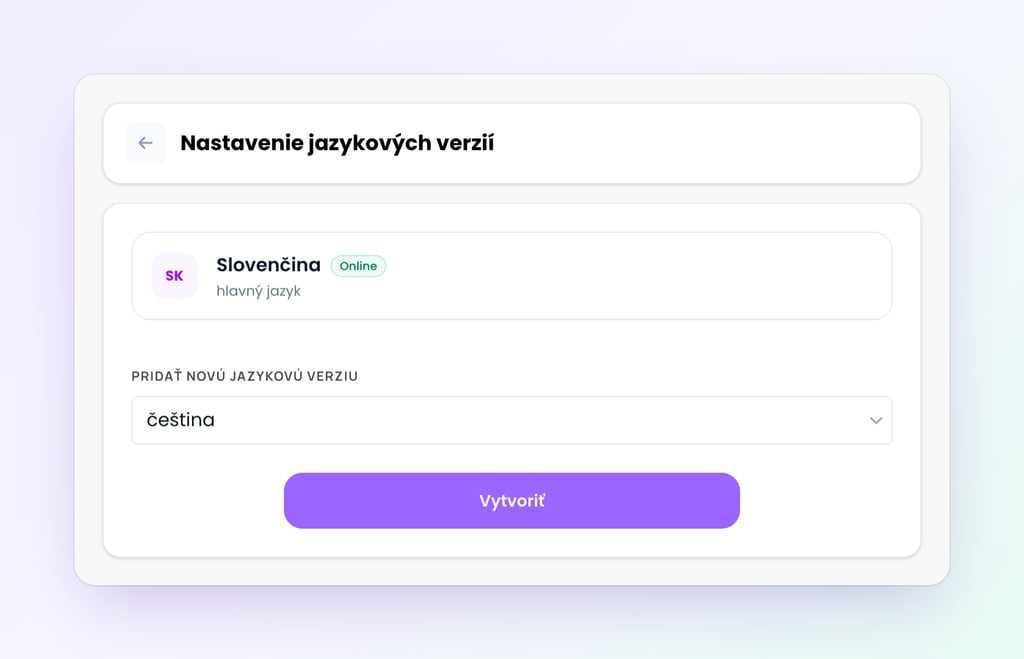
We also have pre-filled Packet prices for the Czech Republic, Hungary, and Romania. Language versions are included in the subscription price, while on Shoptet, foreign languages cost an additional €16 per month if you don't have Shoptet Enterprise.
10. Support that speaks your language
Fast and understandable help is often more important than another feature for a small e-shop. Unavailable support is mentioned as the most common complaint in website builder reviews (42.3%) ( UENI ).
We respond to messages via email or social media as soon as possible, often almost immediately, officially within 72 hours at the latest. We write in Slovak and without technical jargon. Instead of general advice, we will be happy to send you a ready-made guide or step-by-step procedure.
Adam A. described it this way in a Facebook review:
"In case of any confusion, I will write a step-by-step guide on how to proceed."
How to move without stress
Prepare a new e-shop for free. You can prepare it on Welcomio without any time limit and you only start paying when you publish it. In the meantime, the old e-shop sells normally.
Transfer the products. Upload the export from the old e-shop and check the result. Leave the old e-shop turned on until all the photos are downloaded.
Set up shipping, payments, and invoices. Connect Stripe and follow the last number in the invoice number sequence.
Save your history. Download orders, invoices, and customers from your old e-shop and save the invoices for accounting.
Switch your domain during the off-season. You can prepare everything else now, but plan the actual domain switch for a quiet week, not before Black Friday or Christmas.
Monitor Google for the first few weeks. The product URLs will be new to Welcomio, so it will take a while for Google to pick them up, and positions may temporarily move. Submit a sitemap.xml file in Google Search Console and watch the new URLs appear in the results.
If you are unsure about any step, write to us. We will guide you through it.
Try it on your own products
Switching to a new platform doesn't have to be a leap into the unknown. Create an e-shop on Welcomio, transfer your products to it and see how it would look. No credit card and no time limit; you only start paying when you publish it.